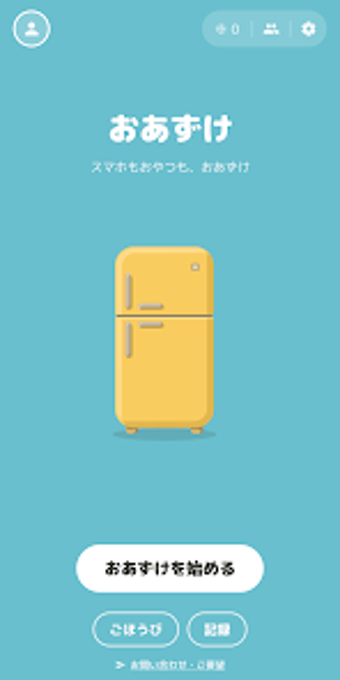
OAZUKE Focus Timer: app-blocking Pomodoro tool for Android users
Sets a timed work session that locks distracting apps and rewards waiting, using a Pomodoro-style timer and app restriction system. Created by appink for the business-productivity category, it pairs a configurable focus/break cycle with persistent background timing and a home-screen widget. The app exposes session statistics, visual and audio alerts, and light/dark themes, making it suitable for students, remote workers, and anyone managing smartphone addiction with structured, repeatable focus sessions.
Defines a clear professional use: enforcing focus during task blocks
OAZUKE enforces concentrated work by locking selected apps for the duration of a session, which matches workflows that need uninterrupted blocks of time. The app's customizable Pomodoro-style timer lets you set work, short break, and long break lengths, so you can tailor cycles to study periods or project sprints. The home-screen widget provides quick control of sessions and shows daily streaks, which keeps focus management visible without opening the main interface.
Structures output around measurable session data and habit tracking
The app records productivity statistics and a history log, so professionals can review session counts and streaks over time. Those metrics support planning for study routines or remote work days by showing where focus sessions cluster. Visual and audio notifications mark session boundaries, enabling hand-off between tasks or meetings without manual timekeeping, and the statistics view gives a concrete record of time spent in focused work.
Makes onboarding direct, with minimal configuration required
The interface centers on timer controls and a simple app-restriction list, which reduces onboarding friction for users who need immediate focus sessions. The app supports light and dark themes to match system preferences, and customization of interval lengths removes the need for external templates. Because no account is required and the developer states no data collection, setup consists of choosing apps to hold and setting session durations.
Runs reliably in the background and respects privacy expectations
The timer continues after the app is backgrounded or the device reboots, ensuring sessions aren't lost to task killers or restarts, which suits mobile-first work habits. The developer's declaration of no third-party data sharing aligns with privacy-focused workflows. The app requires Android 6.0 or later, so it fits standard business hardware but may miss very old devices; the background persistence supports long focus intervals on daily schedules.
Who should adopt OAZUKE and when it doesn't fit
OAZUKE is a focused option for students and remote workers who need enforced app blocking and recorded session history without account-based tracking. It suits people who accept app-level restrictions as part of their workflow. It isn't aimed at team collaboration features or shared timers; use it when individual, device-bound focus control and privacy are the primary requirements.